#01 · Agents and conversations
How do you work with AI agents in the browser and on the phone?
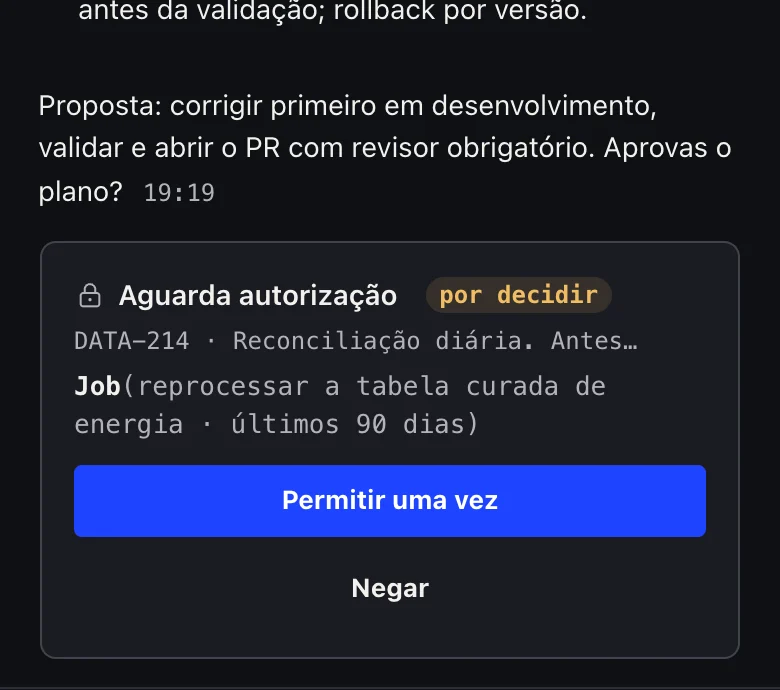
The HumanAI platform opens conversations with AI agents in the browser or on the phone, while the agent runs in the person's own environment. Agents act on your behalf. They check, comment, move tickets, approve and close work with your own account, without asking for a click every time. They only stop to ask before something that can't be undone: deleting a client's production data or resources, deleting outside the workspace, or force-pushing to the main branch.

The problem
An agent in a terminal serves one person on one machine. Close the laptop and the work stops; switch device and you lose the thread.
How it works
- The person opens a conversation in the browser or on the phone.
- The agent runs in their environment, not in the browser.
- Only what can't be undone asks for confirmation, on an Approve/Deny card.
- The conversation carries on with the browser closed and resumes where it left off.
What it includes
- Several agents in one place, choosing agent and model per conversation
- Plan mode before acting
- Autonomy budget: limits on actions and cost per session
- Restore points with recovery
- Attachments, templates, command palette and keyboard shortcuts
- Speech to text next to Send, in real time, on computer and phone; audio processed in the EU, with a single-use key per dictation
- Automatic recovery of interrupted conversations
- A new conversation for another topic while a long task runs in the background
- Pre-started sessions so there is no wait
- File explorer and deliverables with preview
- First steps for newcomers: what is left to connect and set up
What sets it apart
The agent works even when the person is away, and the person decides how far it may go alone.
Questions
Does the agent run on my laptop?
No. It runs in the person's working environment; laptop and phone are for steering and approving.
Is the interface in English?
The cockpit is currently in Portuguese.