#10 · Reports and suggestions
How do you report a problem in a tool without losing time?
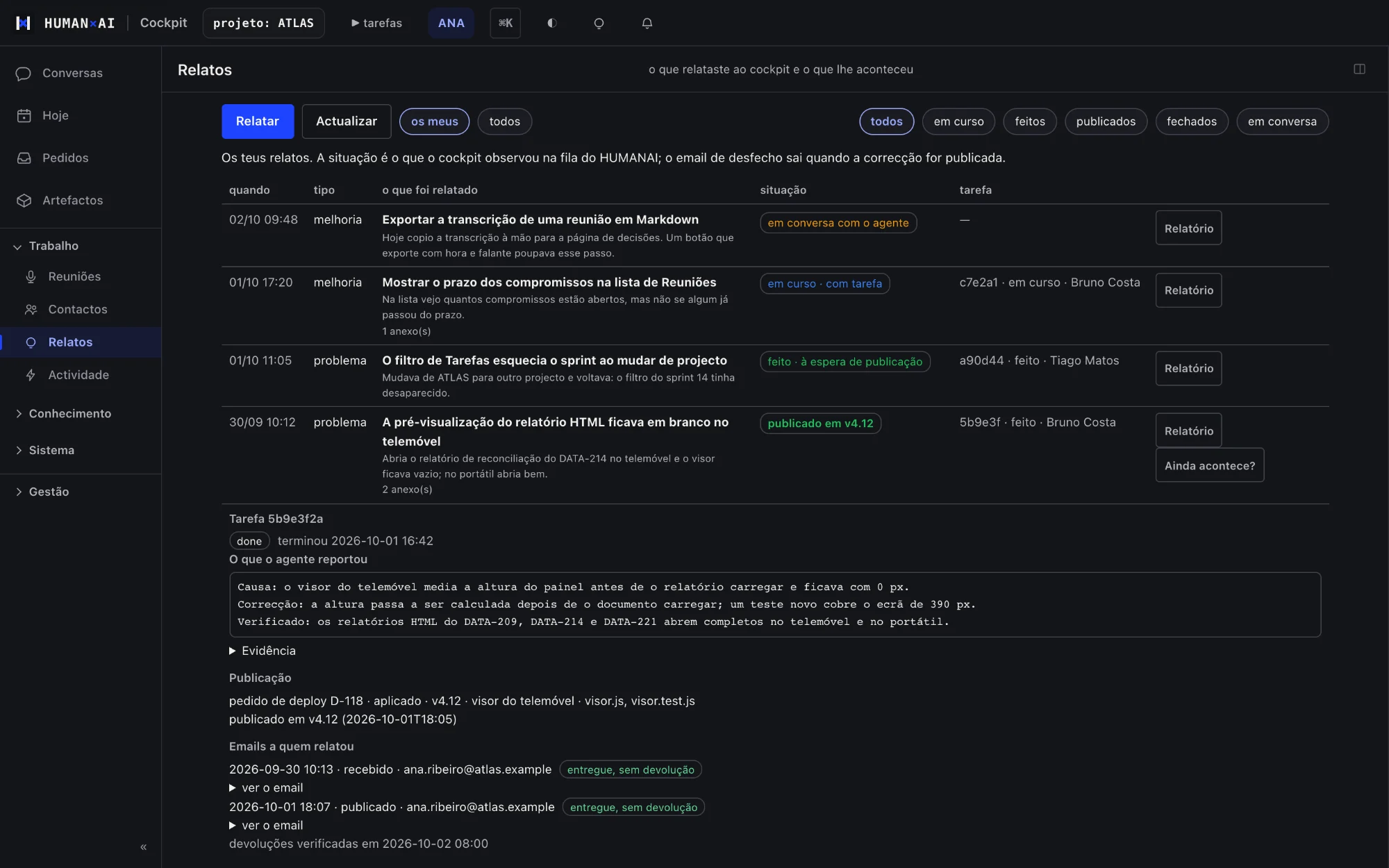
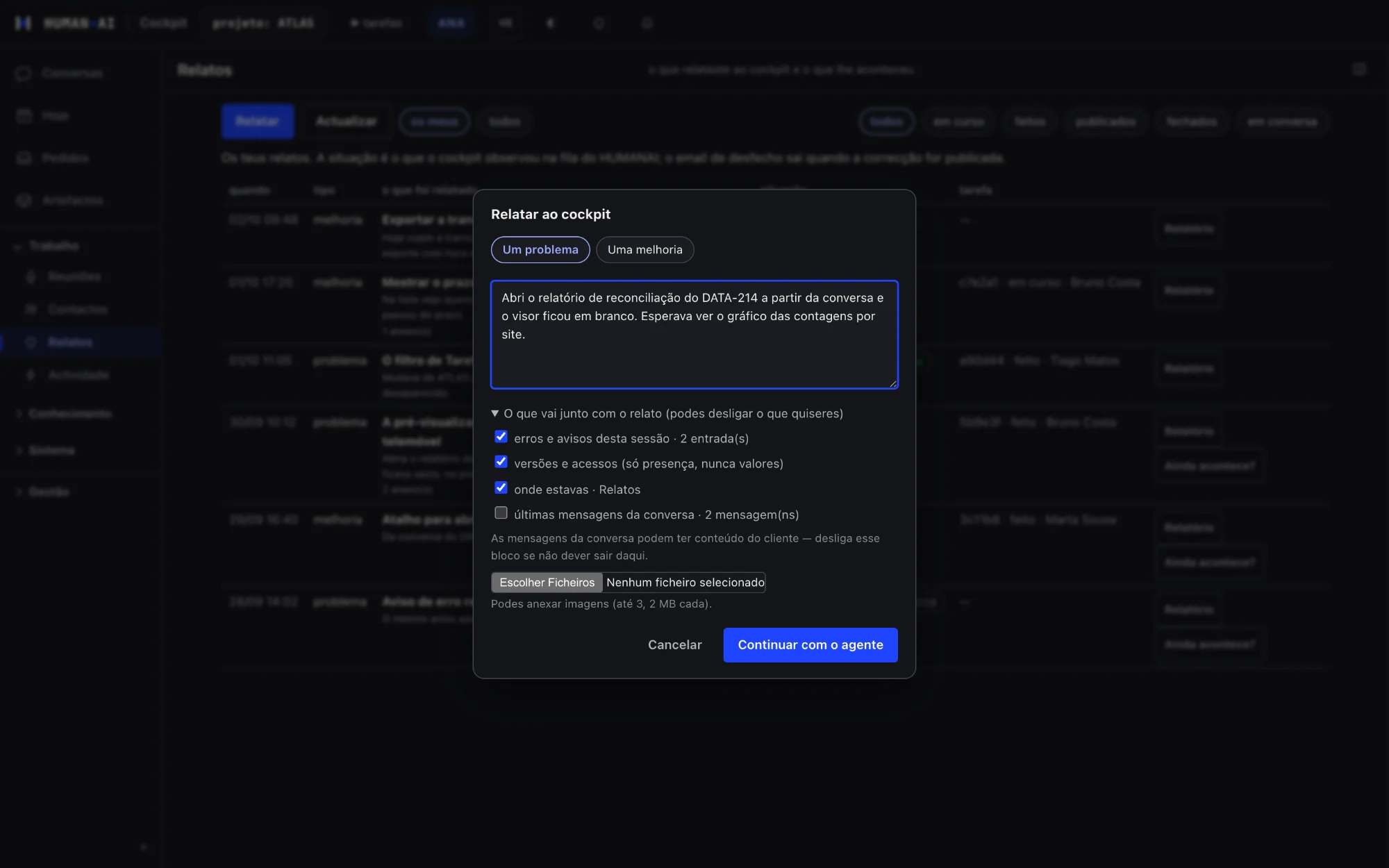
In the HumanAI platform, a button on any screen opens a report with the context already filled in and visible. The person sees what will be sent, can switch off each part, and then follows what happened to the report.
The problem
People who find a problem rarely report it, because it takes effort and nobody knows what happens next.
How it works
- A button on any screen opens the report with the context already filled in.
- The person sees what goes and can switch off each part.
- Then they follow the outcome.
What it includes
- Report problems and suggest improvements, with context and attachments
- Receipt, outcome and merging of duplicates
- A suggestion box
What sets it apart
The person sees all the context in the report and chooses what to send.
An example
Marta sees a button that does not respond. She presses the report button: the screen, the version and what she was doing are already filled in, and she switches off the conversation part before sending. She gets a receipt, then the outcome; if someone else reported the same, the reports are merged.
Questions
Who sees the report?
The platform team and the project manager.