#08 · Per-project plugins
How do you add tools to a project's agents in a controlled way?
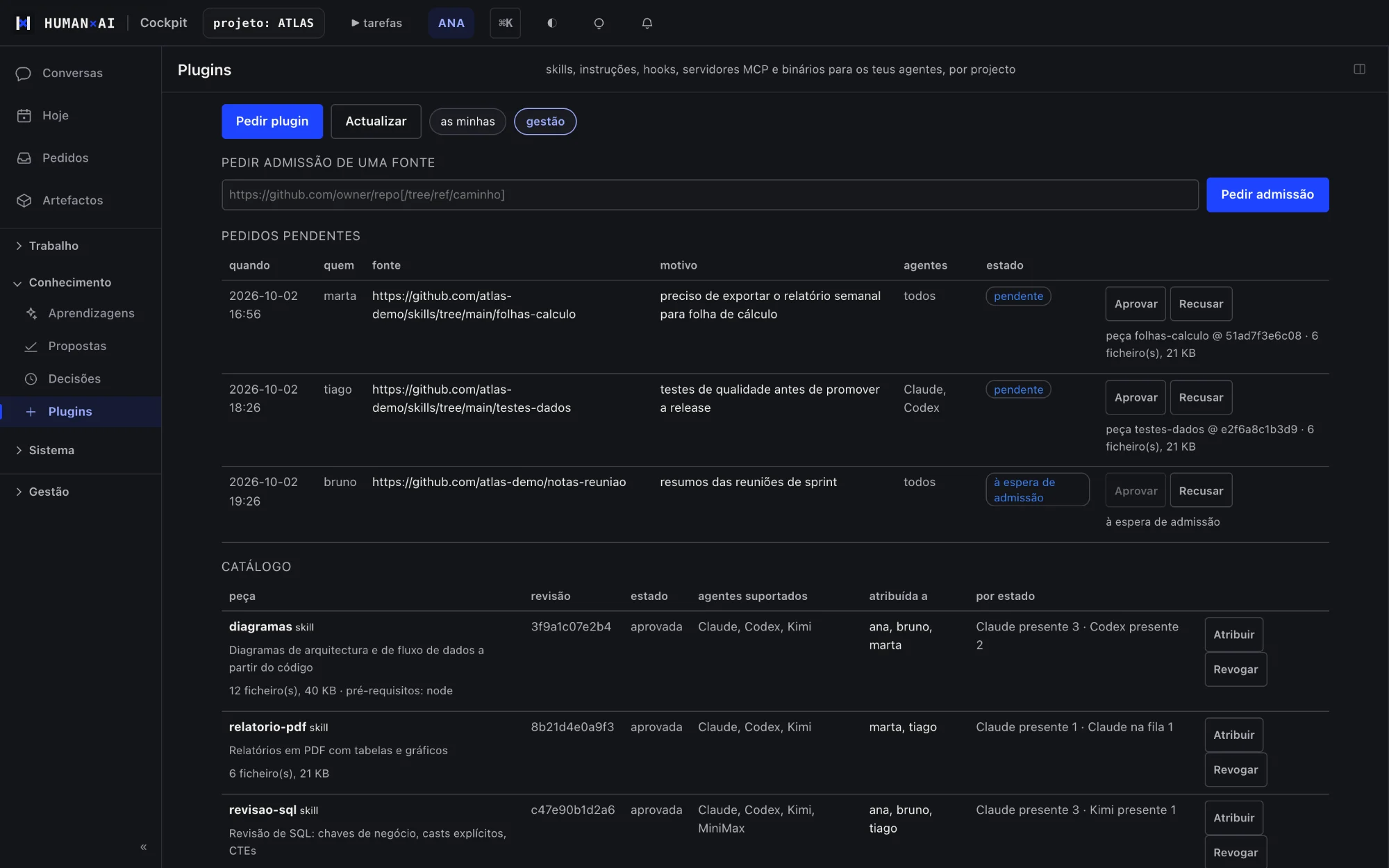
In the HumanAI platform, skills, instructions and tools for the agents are requested by a person, approved by the project and distributed to whoever should have them. Each one's state is observed in the environments where it was installed.
The problem
Everyone installs extensions on their own, and nobody knows what the team's agents have available.
How it works
- A person requests a skill, instruction or tool.
- The project approves or rejects it.
- The platform distributes it to whoever should have it and observes its state.
What it includes
- A per-project catalogue
- Request, approval, assignment and revocation
- State observed in each environment
What sets it apart
The team's agents have the same tools, and only approved ones.
An example
Bruno needs a skill for reviewing Power BI semantic models. He requests it in the cockpit; the project manager approves it for that project only; the agents of everyone on it get it, and each installation's state is visible. On a project where it was not approved, it does not appear.
Questions
Who approves a plugin?
The project manager.